Introduction
QR (Quick Response) codes have evolved from a niche technology to an essential tool in our digital world. From restaurant menus to marketing campaigns, from contactless payments to event check-ins, QR codes are everywhere.
Understanding how to create and use QR codes effectively can enhance your business, improve user experience, and streamline processes. This comprehensive guide will teach you everything you need to know about QR code generation, modern applications, and best practices.
What Are QR Codes?
Definition
A QR code is a two-dimensional barcode that can store various types of data. Unlike traditional barcodes that only store numbers, QR codes can store:
- Text
- URLs
- Contact information
- Wi-Fi credentials
- Email addresses
- Phone numbers
- And much more
How They Work
Encoding: Data is converted into a pattern of black and white squares Scanning: A camera reads the pattern Decoding: Software interprets the pattern back into the original data
Key Features
- High Capacity: Can store up to 7,089 numeric characters
- Error Correction: Can still be read even if partially damaged
- Fast Scanning: Designed for quick reading
- Versatile: Works with any smartphone camera
Modern Uses of QR Codes
1. Contactless Menus
Use Case: Restaurants and cafes Benefits:
- No physical contact
- Easy to update
- Multilingual support
- Reduces printing costs
Implementation: Link to online menu, update prices/items instantly
2. Marketing and Advertising
Use Case: Print ads, billboards, product packaging Benefits:
- Bridge physical and digital
- Track engagement
- Easy to share
- Cost-effective
Applications:
- Product information
- Promotional offers
- Social media links
- Video content
3. Event Management
Use Case: Conferences, concerts, events Benefits:
- Quick check-in
- Digital tickets
- Contact tracing
- Event information
Applications:
- Ticket validation
- Attendee check-in
- Session schedules
- Networking
4. Payment Systems
Use Case: Mobile payments, invoices Benefits:
- Contactless transactions
- Fast processing
- Secure
- Convenient
Applications:
- Point-of-sale payments
- Invoice payments
- Peer-to-peer transfers
- Donations
5. Wi-Fi Sharing
Use Case: Home, office, public spaces Benefits:
- No password typing
- Quick connection
- Secure
- User-friendly
Implementation: Encode Wi-Fi credentials, guests scan to connect
6. Business Cards
Use Case: Networking, professional contacts Benefits:
- Digital contact sharing
- Always up-to-date
- Rich information
- Easy to save
Content: Name, phone, email, website, social media, company info
7. Product Information
Use Case: Retail, manufacturing Benefits:
- Detailed product info
- User manuals
- Support resources
- Authenticity verification
Applications:
- Product specifications
- Assembly instructions
- Warranty information
- Customer support
8. Health and Safety
Use Case: Contact tracing, health records Benefits:
- Quick access
- Secure storage
- Privacy protection
- Easy updates
Applications:
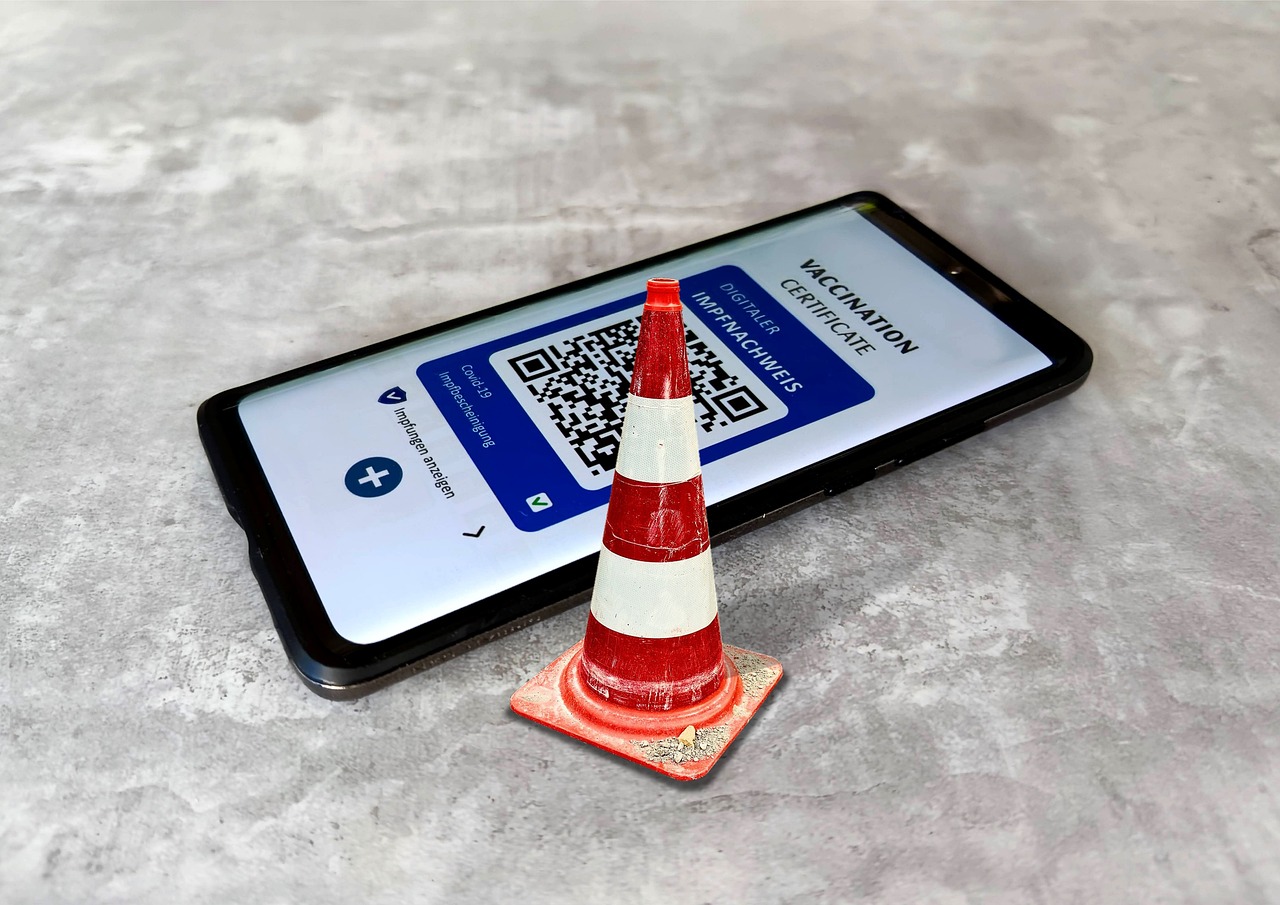
- Vaccination records
- Health certificates
- Contact tracing
- Medical information
Types of QR Code Data
URL/Website
Most Common: Link to website Use Cases: Marketing, information, landing pages Best Practice: Use URL shortener for cleaner codes
Text
Use Case: Messages, instructions, information Example: "Welcome to our store! Show this code for 10% off."
Contact Information (vCard)
Format: vCard format Contains: Name, phone, email, address, website Use Case: Digital business cards
Format: mailto: link
Can Include: Subject, body
Use Case: Quick email composition
SMS
Format: sms: link
Can Include: Phone number, message
Use Case: Quick messaging
Wi-Fi
Format: WIFI credentials Contains: Network name, password, security type Use Case: Easy Wi-Fi sharing
Phone Number
Format: tel: link
Use Case: Quick calling
Best Practices for QR Codes
1. Size Matters
Minimum Size: 2cm x 2cm (0.8" x 0.8") Recommended: 3cm x 3cm (1.2" x 1.2") or larger For Distance: Larger codes for scanning from farther away
Rule of Thumb:
- Close scanning: 2-3cm
- Normal distance: 3-5cm
- Far distance: 5cm+
2. Error Correction Level
Levels: L (Low), M (Medium), Q (Quartile), H (High)
When to Use:
- L (7%): Simple designs, clean printing
- M (15%): Standard use, most common
- Q (25%): When code might be damaged
- H (30%): Maximum durability, complex designs
Recommendation: Use M or Q for most applications
3. Quiet Zone
Definition: White space around the QR code Required: At least 4 modules (squares) on all sides Purpose: Allows scanner to identify code boundaries
Best Practice: Include adequate white space, don't crowd the code
4. Contrast
Requirement: High contrast between code and background Best: Black on white Avoid: Low contrast, similar colors Test: Ensure code is clearly visible
5. Testing
Always Test:
- Scan with multiple devices
- Test in different lighting
- Try different angles
- Test printed versions
- Verify on different surfaces
6. URL Optimization
Use Short URLs:
- Shorter URLs = simpler QR codes
- Easier to scan
- More reliable
- Better error correction
URL Shorteners: bit.ly, tinyurl.com, or custom short domains
7. Design Integration
Customization Options:
- Logo in center (with error correction)
- Colored codes (maintain contrast)
- Rounded corners (subtle)
- Background images (careful with contrast)
Important: Always test customized codes thoroughly
8. Placement
Consider:
- Eye level for easy scanning
- Good lighting
- Stable surface (not moving)
- Accessible location
- Not in direct sunlight (glare)
Common Mistakes
Mistake 1: Too Small
Problem: Difficult or impossible to scan Solution: Ensure minimum size, test scanning distance
Mistake 2: Poor Contrast
Problem: Scanner can't read the code Solution: Use high contrast (black/white recommended)
Mistake 3: No Quiet Zone
Problem: Scanner can't identify code boundaries Solution: Include white space around code
Mistake 4: Over-Customization
Problem: Code becomes unreadable Solution: Test thoroughly, maintain error correction
Mistake 5: Wrong Error Correction
Problem: Code breaks easily Solution: Choose appropriate level for use case
Mistake 6: Not Testing
Problem: Code doesn't work in real conditions Solution: Always test before deployment
Advanced Techniques
Dynamic QR Codes
Definition: QR codes that can be updated without reprinting Benefits:
- Change destination URL
- Update content
- Track scans
- Analytics
Use Cases: Marketing campaigns, changing content
QR Code Analytics
Track:
- Number of scans
- Location of scans
- Time of scans
- Device types
Tools: Many QR code generators offer analytics
Batch Generation
Use Case: Multiple codes needed Applications: Product labels, event tickets, inventory
Tools: Batch QR code generators
Security Considerations
What to Encode
Safe to Encode:
- Public URLs
- General information
- Marketing content
Be Careful With:
- Personal information
- Sensitive data
- Login credentials
- Financial information
Best Practices
- Don't encode sensitive data directly
- Use secure URLs (HTTPS)
- Consider expiration dates
- Monitor for abuse
Tools and Resources
QR Code Generators
- Free QR Code Generators: Many online tools
- Our QR Code Generator: Simple, effective tool
- Advanced Tools: Customization, analytics, batch generation
Scanning Apps
- Built-in Camera Apps: Most smartphones
- Dedicated Apps: More features, better scanning
- Business Apps: Additional functionality
Conclusion
QR codes are a powerful tool for bridging physical and digital worlds. When used correctly, they can enhance user experience, streamline processes, and improve business operations.
Remember:
- Size appropriately for scanning distance
- Ensure high contrast for readability
- Test thoroughly before deployment
- Use appropriate error correction for your use case
- Consider user experience in placement and design
Start using QR codes in your projects today. With the right approach, they can significantly improve your user experience and business operations.
Using Our QR Code Tools
At 1tool.dev, we offer a powerful QR Code Generator that makes creating QR codes simple and effective. Whether you're creating codes for marketing, events, or everyday use, our tool helps you generate reliable, scannable QR codes.
Try our QR code generator today and see how easy it is to create QR codes for any purpose!